Stylized flame based on Unity shader graph
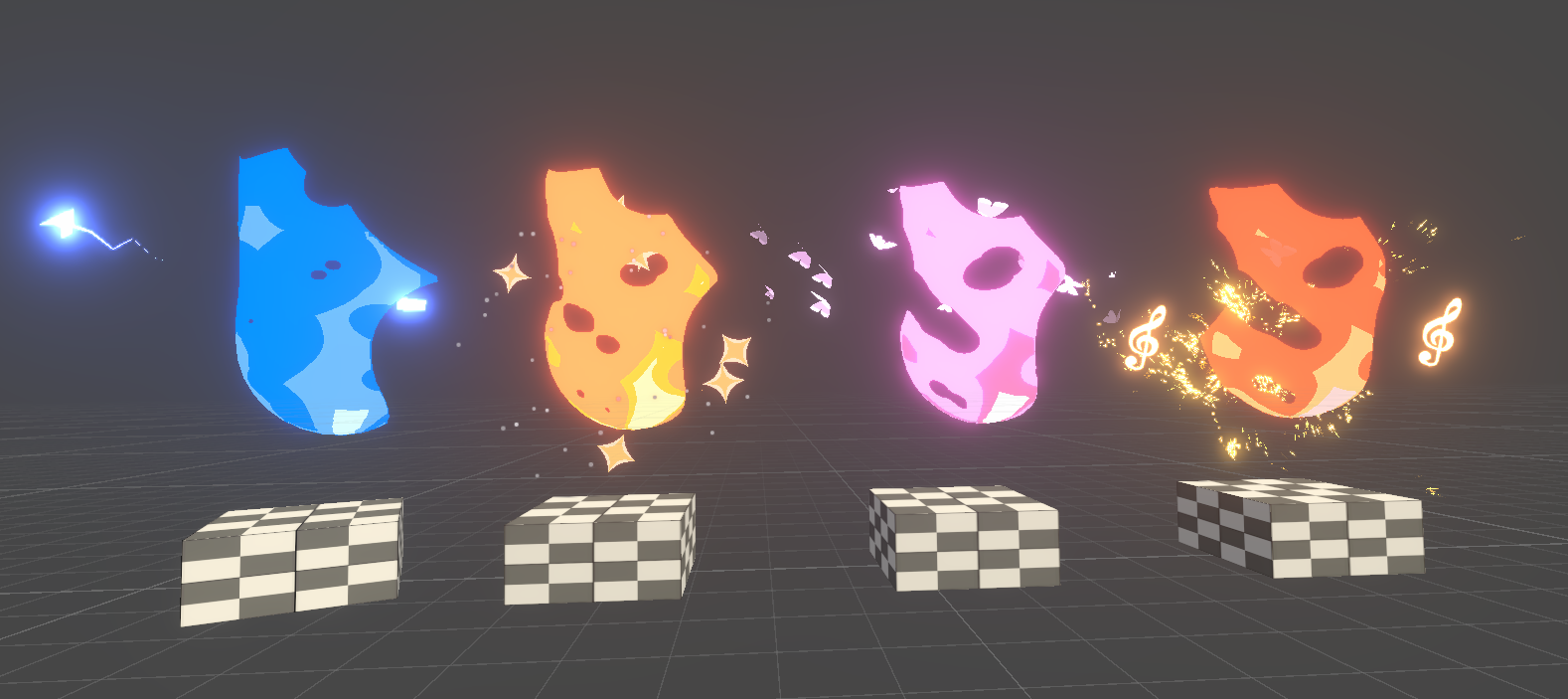
Stylized Flame & Particle VFX
This is a stylized flame effect made with Unity shader graph, artists can customize the range and color of different layers of the flame. This shader code can turn a simple black and white 2D texture into a vivid and glooming flame.
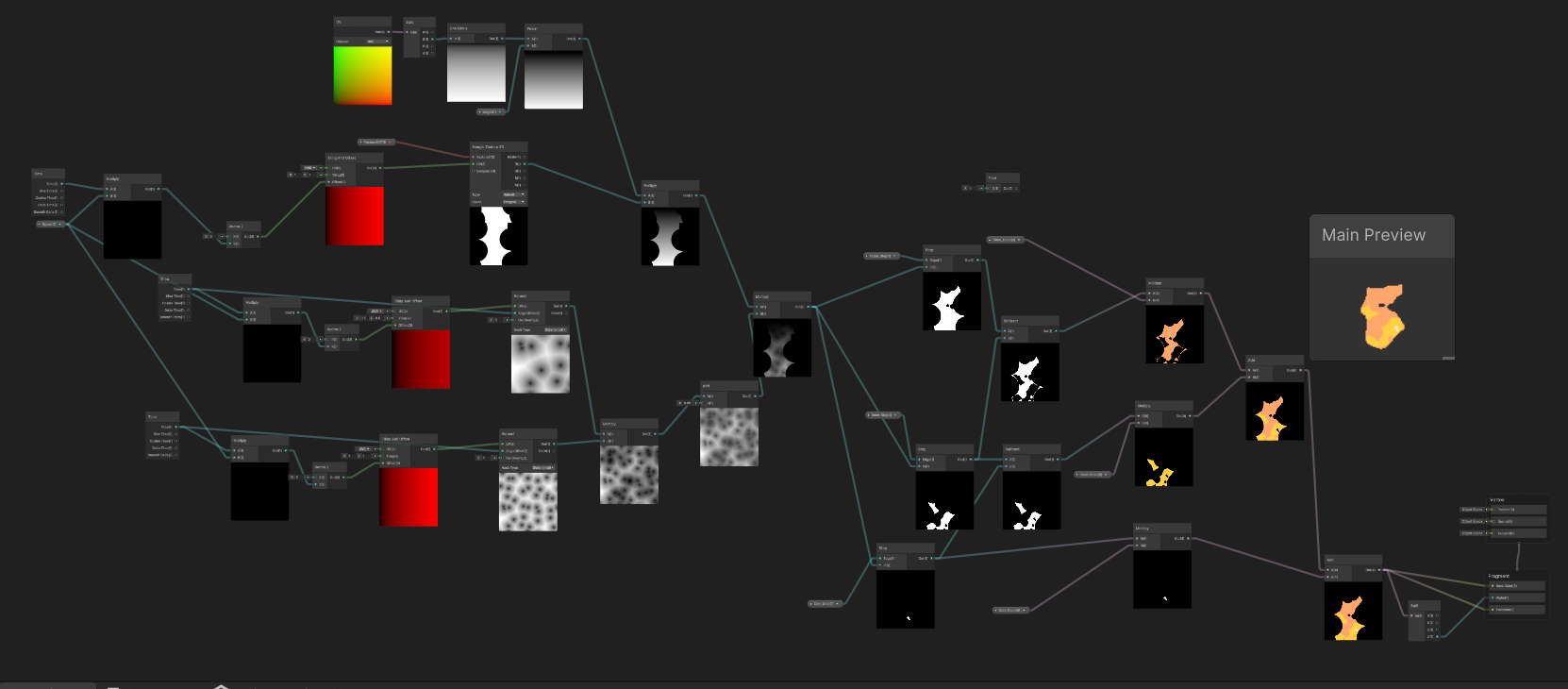
The shader code is composed of three parts: scrolling effect, masking effect, color rendering.
The scrolling effect creates the illusion of dynamic movement, simulating the way fire flickers and shifts. By manipulating the texture coordinates, the flame appears to 'flow' in various directions, adding realism to the otherwise static texture.
The masking effect is used to refine the edges of the flame, ensuring a smooth transition between the flame itself and the surrounding environment. This technique helps in creating a more natural blend, making the flame feel integrated into the scene rather than just placed over it.
Color rendering is the final key aspect of the shader. By utilizing a combination of gradient maps and dynamic color shifts, the shader can simulate various fire effects—from a fiery orange to a cooler blue flame. Artists can easily adjust the flame's intensity, making it a versatile asset that can suit a wide range of environments, from mystical to apocalyptic settings.
Key Features:
- Fully customizable flame appearance, including color, intensity, and layer dynamics.
- Optimized for performance while maintaining high-quality visuals, ideal for both 2D and 3D environments.
- Easy-to-use shader graph setup, designed with flexibility for game developers and visual effects artists alike.
- Works seamlessly with Unity's Universal Render Pipeline (URP), ensuring compatibility across various platforms.
This stylized flame effect can be used for a wide range of applications, such as environmental lighting, interactive objects, and even character effects like fire trails or burning weapons. The flexibility in customizing the visual appearance allows it to blend seamlessly into different art styles, from realistic to more abstract or stylized settings.
More VFX Examples:
In addition to the flame effect, this approach can be extended to create a variety of other particle-based effects, such as smoke, embers, and explosions. By leveraging similar shader techniques, artists can create complex VFX that respond dynamically to environmental conditions and player interactions, all without the need for extensive coding.
Explore the following videos to see these effects in action: